
IT Budgeting: Tips for Business Owners
Pro tips and must-have items for the business IT budgeting process.
Running a business means making decisions with limited time and resources, all while juggling a long list of competing priorities. Technology costs are rarely something you want to think about—until something slows down, breaks, or exposes your business to unnecessary risk. When that happens, IT costs don’t just show up as an invoice. They show up as interruptions, delayed work, and high-pressure decisions.
That’s why IT budgeting matters. It gives you a realistic way to plan for the technology your business depends on—from day-to-day software and support to equipment replacements and cybersecurity requirements. Keep reading to learn what IT budgeting involves, why skipping it can create costs and risk, and how to build a repeatable process that supports business stability and growth.
What is IT budgeting?
At its core, IT budgeting is a structured approach to organizing and forecasting the technology expenses your business needs to stay productive, secure, and operational. It helps you understand what you already spend, anticipate upcoming expenses, and plan upgrades and replacements on an operational timeline. Instead of reacting to IT costs as they come up, you’re building a repeatable plan to reduce disruption and avoid rushed decisions.
A practical IT budget also helps you separate day-to-day expenses from longer-term improvements. Instead of treating every purchase like an exception, you’re building a repeatable plan that accounts for recurring costs, equipment lifecycles, and the projects required to keep your business running smoothly. By creating and reviewing an IT budget, you can keep your technology aligned with business needs instead of fighting to catch up.
What’s a common misconception about IT costs and budgets?
A common misconception about IT costs is that they’re purely an expense—one that most business owners try to minimize. That mindset often shows up in the budgeting process, where businesses cut IT costs across the board instead of investing strategically in technology that supports their operations. Brian Schlechter, Director of IT at Bit-Wizards, explains how cutting corners on IT expenses quickly adds up.

“Replacing computers isn’t fun or cheap, but your business picks up more issues the longer you go without it,” he says. “If it takes a full minute to open Microsoft Word, and you open it ten times a day, those 10 minutes every day add up to over a week of lost time over the course of a year. Instead of being fully productive throughout the year, you’re dealing with lost productivity that easily could have been avoided.”
Unfortunately, delaying necessary upgrades often means paying more later. What could have been routine maintenance or a planned upgrade often becomes an emergency replacement, with higher labor costs, rushed delivery fees, and fewer options. And if critical infrastructure fails, the real cost you’ll face isn’t just replacing equipment—it’s the downtime that can stall work for days while you scramble to recover.
What are the risks of not making an IT budget?
By mistakenly viewing IT expenses as optional and skipping the planning process, your business could face:
- Surprise expenses that derail other plans: Without an established IT budget, necessary costs still arise, but they often hit at inconvenient times and force tradeoffs with other essential expenses. Instead of following a steady plan, you end up reallocating funds from other initiatives just to keep technology working.
- Missed opportunities to save money on planned purchases: When you know what needs to be done and you’ve budgeted for it, you can take advantage of pricing opportunities, such as sales or strategic timing. When funds aren’t allocated, the same purchase is often delayed, may cost more, and is made under pressure.
- Reactive procurement that creates inconsistency: Skipping budgeting often means you aren’t actively managing procurement, so purchases become “whatever’s available” instead of standardized equipment. Over time, that leads to mismatched devices, more friction when troubleshooting issues, and more complexity around warranties, parts, and repairs.
- Longer downtime when key systems fail: If you’re waiting until a critical system fails before you act, recovery can take far longer than expected—not just because replacement hardware has to be sourced, but because restoration decisions have to be made while your business is already impacted.
What should a business IT budget include?
A solid IT budget accounts for the costs required to keep your business running day to day, plus the expenses needed to stay reliable as your needs grow. Schlechter recommends budgeting for four essential categories: the equipment that supports your environment, the tools your team uses, the support resources required to maintain everything, and the security measures that reduce risk.
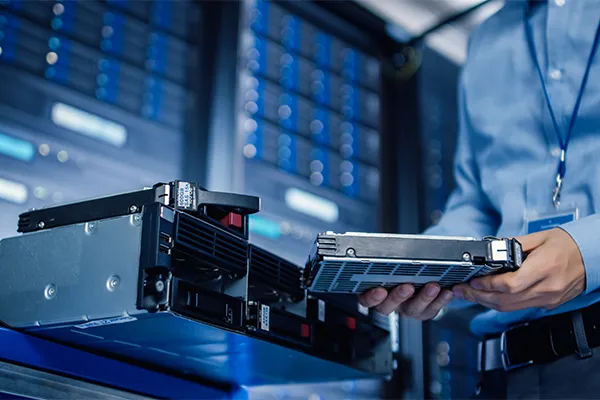
Hardware and infrastructure expenses
Hardware is often the most visible part of an IT budget because it’s tied to tangible items—laptops, monitors, network equipment, and the infrastructure that keeps your systems running. Still, hardware budgeting isn’t just about buying devices when they break, which often happens at varying intervals. It’s about planning replacements before aging equipment causes workflow interruptions, while accounting for shifts in availability and cost.
Your equipment and infrastructure budget section should cover:
- Employee workstations
- Printers and scanners
- Network and Wi-Fi equipment
- Servers and other on-prem infrastructure
- Docking stations and charging cables
- Webcams, headsets, or VoIP phones
Software and subscription costs
Software is often the most underestimated part of an IT budget because it doesn’t feel like a “big purchase.” Instead, it shows up as recurring renewals, seat expansions, add-ons, and cloud services that grow over time. A solid budget accounts for those ongoing costs and creates space for regular evaluation—especially at renewal time, when you have the best opportunity to confirm you’re paying for the right tools and plans.
Your budget should include recurring software costs like:
- Productivity tools like the Microsoft 365 suite
- Collaboration and communication programs
- Cloud computing services and storage
- Human resources and financial management tools
- Time tracking and scheduling programs
- Software that’s specific to your line of business

Personnel and IT support resources
Even the best technology stack requires ongoing time and expertise to support it. That’s why personnel and support resources should be treated as a core part of your IT budget, not an afterthought. Whether your IT support is internal, handled by a managed service provider (MSP), or a mix of the two, the goal is the same: ensuring your business has reliable coverage for everyday issues, ongoing maintenance, and planned projects.
Your expenses for IT support can cover items like:
- Internal IT staff costs like salary, benefits, and training
- Outsourced IT or managed services fees
- After-hours or emergency support coverage
- IT consulting or strategic planning support as needed
- Vendor management and procurement support
- Project labor for upgrades, migrations, and rollouts
Cybersecurity measures and investments
Cybersecurity is often the easiest part of an IT budget to underfund or skip because it can feel more ambiguous. But cybersecurity spending directly affects business risk, potential downtime, and recovery. Schlechter says a strong IT budget should account for both prevention and response to ensure that a single incident doesn’t derail operations or force expensive, reactive purchases.
Your cybersecurity budget should include:
- Endpoint protection and antivirus software
- Email security and anti-phishing controls
- Cyber insurance premiums
- Security and alert monitoring measures
- Vulnerability management and patching oversight
- Business continuity and disaster recovery (BCDR) planning
How can I follow a solid IT budgeting process for my business?
If you want an IT budget process that stays useful beyond the first go-around, Schlechter emphasizes that the key is to build it from what you already spend today, then layer in what you’ll need to replace, improve, and protect over time. The steps below follow a practical order that helps you move from “inventory and reality check” to “plan and forecast,” all without overcomplicating the process.

Here are Schlechter’s 10 recommended steps for creating an IT budgeting process for your business:
- Identify everything you currently pay for: Pull a complete list of IT-related expenses, including equipment purchases, software subscriptions, cybersecurity tools, support services, and internal IT costs. Review the past year of spending to spot expenses that don’t occur monthly.
- Separate recurring costs from future replacements: Identify which items renew monthly or annually and which devices are likely to need replacement over the next few years. This helps you forecast expenses you can expect in the near future.
- Check for software overlap and consolidation opportunities: Look for tools that solve the same problem, unused licenses, and seat creep. Renewal windows are the best time to right-size licensing and reduce redundant subscriptions.
- Inventory your must-have items: Document what your business can’t operate without—core devices, essential platforms, connectivity, backups, and any critical line-of-business software—so your budget has a clear baseline.
- Confirm how IT support will be handled: Define whether support is internal, outsourced, or shared, and ensure the budget reflects the coverage you need for day-to-day support, ongoing maintenance, vendor management, and emergency response.
- List planned projects and business changes: Add initiatives that will affect IT spend so they don’t become surprises later, such as expansions, office moves, hiring plans, mergers or acquisitions, or major vendor or platform changes.
- Set a baseline monthly spend: Use your essentials and recurring costs to determine the minimum monthly amount required to keep operations stable.
- Create a rough device replacement schedule: You don’t need perfect dates—just a realistic estimate of when equipment will age out or become unreliable. A refresh plan helps spread costs out instead of getting hit all at once.
- Add an emergency buffer: Build wiggle room for unexpected issues like device failures, pricing shifts, urgent security needs, or weather-related disruptions. This can be a fixed amount or a percentage of your overall IT budget.
- Review your budget regularly: Use quarterly check-ins to confirm spending is tracking as expected and to flag upcoming renewals or replacements early. Conduct annual reviews to rebuild your budget around business changes such as growth, staffing, expansions, and major technology decisions.
What budget items should I never skip?
Once you’ve built the structure of your budget, the next step is prioritizing the items that prevent downtime and costly surprises. This is where many businesses run into trouble—when budgets tighten, they cut the items that feel less urgent or are less noticeable. Those cuts can increase risk and lead to higher costs later, so these items should stay funded.

Schlechter recommends treating these IT elements as non-negotiables because they help prevent everyday issues from becoming operational disruptions:
- Backups: Budget for more than creation and storage. Reliable backups require ongoing oversight—monitoring and alerting when jobs fail, plus the time to fix issues quickly so failures don’t stack up unnoticed. Plan for periodic restore testing and documentation, because the first time you find out a backup failed or can’t be restored shouldn’t be during an outage or incident.
- Cybersecurity measures: Allocate funds for layered protections that reduce both risk and recovery time. This should especially include employee training to reduce preventable mistakes. Depending on your industry, you may also need to account for security audits. IT security spending can also directly tie into your cyber insurance premiums, since applications often ask what controls you have in place.
- Hardware warranties: Treat warranties as a downtime-reduction strategy, not a “nice-to-have.” A warranty can be the difference between a predictable repair path and an expensive, last-minute replacement. Warranty costs are typically modest compared to the cost of a device, and faster turnaround for replacement parts can help keep teams working rather than waiting.
Take the guesswork out of IT budgeting with Bit-Wizards
IT budgeting works best when it’s tied to business priorities—not guesswork or last-minute purchases. But for most small and mid-sized businesses, it’s difficult to stay ahead of renewals, replacements, pricing shifts, and security requirements while also running day-to-day operations. Building and maintaining an IT budget takes ongoing attention and effort—but you don’t have to manage it alone.
With our Managed IT Services (MITS), you get a team of experts who can help you map what you have today, forecast what you’ll need next, and prioritize improvements so your technology spend supports growth instead of interruptions. We’ll help you build a budget you can actually follow—all while providing day-to-day support and cost-saving assistance to make the most of your time and IT investments.
Ready to turn IT budgeting into a clear, reliable plan your business can stick to? Get in touch.